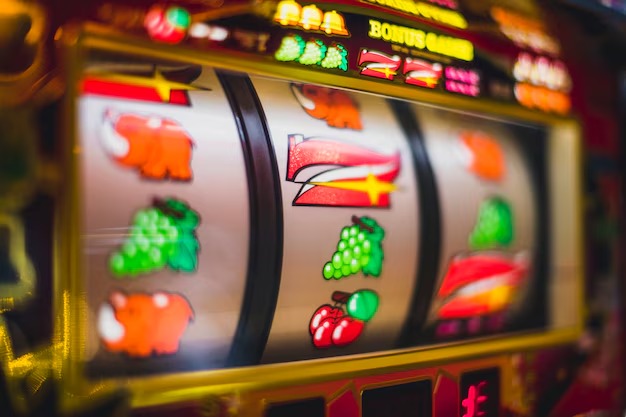
The 666pk app experience runs through your mobile browser — no file to download, no store listing to hunt. Open the current domain on your phone, sign in, and the lobby loads straight to games from CQ9, Spadegaming, JDB and Joker, with your JazzCash, Easypaisa or Raast wallet linked to your account where local law permits.
Before you tap through the lobby on your phone, spend thirty seconds on these access checks. They take less time than a loading screen and keep your account credentials where they belong — with you. Each point below maps to a real step you can complete from your phone right now, without needing to contact support first.
Confirm the Domain
Always access the 666pk app through the current published domain at 666pk. Check the address bar before entering your credentials. A mistyped or forwarded URL is the most common way account details are exposed on mobile — take five seconds to read the address.
Review Device Guidance
The help section inside your account lists which browsers and screen sizes render the lobby correctly. Check that page if tiles appear cut off or the navigation menu does not open. Adjusting your browser's viewport setting usually resolves layout issues without needing an app update.
Protect Your Credentials
Do not save your 666pk password in a shared browser profile. If you use a family device or a shared phone, log out after each session using the sign-out option in the account menu. Your wallet balance and account history are visible to anyone who opens a saved session.
Use the Published Recovery Path
If you lose access to your account, follow only the recovery steps shown on the 666pk login page. Do not click recovery links from third-party messages. The published path asks you to verify the email or mobile number registered to your account — no other route is valid.
WHAT THE APP DELIVERS
Inside the 666pk Mobile Experience
The 666pk app is a browser-based experience shaped specifically for smaller screens. When you open 666pk on your phone, the navigation collapses into a thumb-friendly bottom bar, game tiles resize to fit your screen width, and category tabs — slots, live casino, crash games, sports — stay pinned at the top so you can switch categories without scrolling back up. Your account dashboard sits one tap from the home screen, showing your wallet balance, recent activity and the help shortcut. Game discovery follows a horizontal rail layout: tiles from Spadegaming, JDB, CQ9 and Joker load in rows you can swipe through rather than scroll past.
RENDERED PAGE FEATURES
Mobile Page Behaviour on 666pk
These are the page-level behaviours you will notice when you open 666pk on a mobile browser. They are built into the site itself, not a separate app layer, so they work on any current browser that renders modern HTML without a download step.
Collapsible Navigation
The main menu folds into a compact bar at the bottom of the screen on handsets. Category tabs — slots, live casino, table games, crash — are each one tap away. You move between lobby sections without the menu expanding over game content, keeping the tile grid visible as you browse.
Account Dashboard Access
Your account page — showing wallet balance, transaction history and the help shortcut — is reachable with a single tap from any screen in the lobby. You do not need to return to a home page or reload. The same dashboard is where you check the current state of any active account settings.
Horizontal Game Rail
Game tiles from CQ9, Spadegaming, JDB and Joker load in swipeable horizontal rows grouped by category. This layout means you can scan a full category — say, crash games or live tables — with a left swipe rather than scrolling through a long vertical list.
Help Page Inside the Lobby
The in-lobby help section covers browser compatibility, account recovery and wallet queries. If a game tile from Joker or JDB does not render correctly, the help page lists the specific browser setting to adjust. You reach it through the support icon in your account dashboard without leaving the site.
THREE ACCESS STEPS
Mobile Access in 3 Steps
Getting the 666pk app experience on your phone takes three steps and no installation. Start by opening your phone's browser — Chrome, Safari or any browser that supports modern web standards — and entering 666pk in the address bar. Confirm you are on the correct domain before proceeding. Second, enter your registered email address and password on the login screen. If this is your first time on mobile, your account details carry over from desktop automatically; nothing resets. Third, once the lobby loads, explore the game rail by swiping through category tabs. Slots from CQ9 and JDB, live tables, crash games and sports markets including cricket — PSL and international fixtures — are all visible from the main lobby without navigating away. Your wallet, linked to JazzCash, Easypaisa or Raast where eligible, is accessible from the account icon in the top bar.
Open the Current Domain
Type 666pk into your mobile browser address bar. Check the domain before entering any credentials. Bookmark it after your first visit so returning sessions start from the correct address.
Sign In to Your Account
Enter your registered email and password. Your account — including wallet balance and game history — is the same account you use on any device. No separate mobile account is needed.
Browse the Lobby
Swipe through game category tabs to explore slots, live casino, crash games and sports. Games from Spadegaming, Joker, CQ9 and JDB appear in the tile rail. Tap a title to open it within the browser.
DEVICE AND BROWSER CHECK
Checking Your Device Compatibility
The 666pk mobile experience runs on current browsers without a native app. Before your first session, run through this checklist to confirm your device will render the lobby and game tiles correctly. If anything on this list does not match your setup, the help section inside your account lists adjustment steps.
Browser Version
Use an updated version of Chrome, Safari, Firefox or Edge. Older browser builds may not render the game rail or account dashboard correctly. Your browser's About page shows the current version number — update if it is more than two major versions behind.
Screen Layout
The lobby layout is designed for handsets from 5 inches upward in portrait orientation. Landscape mode is supported on most titles, but the navigation bar positions differently. If tiles appear cut off, switching back to portrait usually restores the standard layout.
Account Requirements
Mobile access uses the same account as desktop. You need a registered and verified account at 666pk before the lobby becomes accessible. Account creation and verification happen through the same browser session — check the registration fields shown on the sign-up page.
Wallet Availability
JazzCash, Easypaisa and Raast appear as wallet options in your account where local law and eligible regions allow. The current available options are shown in your account dashboard after login, not fixed in advance.
Network Connection
Live casino tables and crash games like Crash Limitless load video streams that need a stable connection. A 4G or Wi-Fi connection produces the most consistent tile-loading and game-launch behaviour on mobile.
APP HELP CHANNELS
Getting Help With Mobile Access
If the 666pk mobile experience is not working as expected — login not completing, game tiles not loading, wallet balance not showing — there are three direct routes to the team. Each one is reachable from your phone without needing to switch to a desktop device. For account-specific queries, have your registered email address ready before contacting us; it speeds up account verification on our side and gets you a faster resolution.
Live Support Chat
The live chat icon sits in the account dashboard and in the main lobby footer. Open it from your mobile browser for real-time help with login issues, game-rendering problems or wallet queries. The chat thread stays open while you stay on the site.
Email Support
For issues that need account-level investigation — a transaction that does not appear in your history, or an account access problem that chat could not resolve — send the details to the support email address shown on the 666pk contact page. Include your registered email in the message.
In-Lobby Help Section
The help section inside the lobby covers browser compatibility, wallet linking for JazzCash, Easypaisa and Raast, and the account recovery process. It is written for mobile reading — short sections, no jargon — and does not require you to leave the game lobby to access it.
APP QUESTIONS ANSWERED
Common Questions About the 666pk App
These are the questions we hear most from people setting up mobile access for the first time. If your question is not here, the in-lobby help section and live chat cover a wider range of account and device topics.
Is there a 666pk app to download from the App Store or Google Play?
The current 666pk experience is browser-based. Open 666pk on your phone's browser to access the full lobby — slots, live casino, crash games and sports. No store listing or APK download is required. Whether a native app becomes available is shown in the announcements section of your account dashboard.
Does the 666pk mobile browser version have the same games as desktop?
Yes. The game catalogue — titles from CQ9, Spadegaming, JDB and Joker — is the same across devices. Your account, wallet balance and game history carry over automatically. The mobile layout presents games in a horizontal swipe rail rather than a grid, but the content is identical.
Can I fund my account through JazzCash or Easypaisa on mobile?
JazzCash, Easypaisa and Raast appear as wallet options in your account where local law and eligible regions allow. Open your account dashboard after login to see which options are currently active for your account. The available methods are listed there, not pre-fixed in the app itself.
What browser works best for the 666pk mobile experience?
Updated Chrome or Safari on Android and iOS respectively give the most consistent results. Firefox and Edge are also supported. Avoid using in-app browsers embedded in social platforms — they often restrict the permissions the lobby needs to load game tiles from studios like Joker or JDB correctly.
My game tile is not loading on mobile. How do I fix it?
First check your browser version and update it if it is more than two major versions behind. Then clear the browser cache and reload 666pk. If a specific title — for example one from Spadegaming or CQ9 — still does not open, the in-lobby help section lists the browser settings that affect game rendering for each category.
Is my 666pk account the same on mobile and desktop?
Exactly the same. One account works across any device through 666pk. Your wallet balance, transaction history, game activity and account settings are all in one place. You do not create a separate mobile account — log in with your existing credentials and everything is there.
 Casino / Mobile